
Why AI Search Engines Can’t Find Your Site (And How to Fix It)
A Thought Leader Guest Post from Spotlight On Startups:
The Two Minute Check That Reveals Why AI Search Engines Might Not Know Your Startup Exists
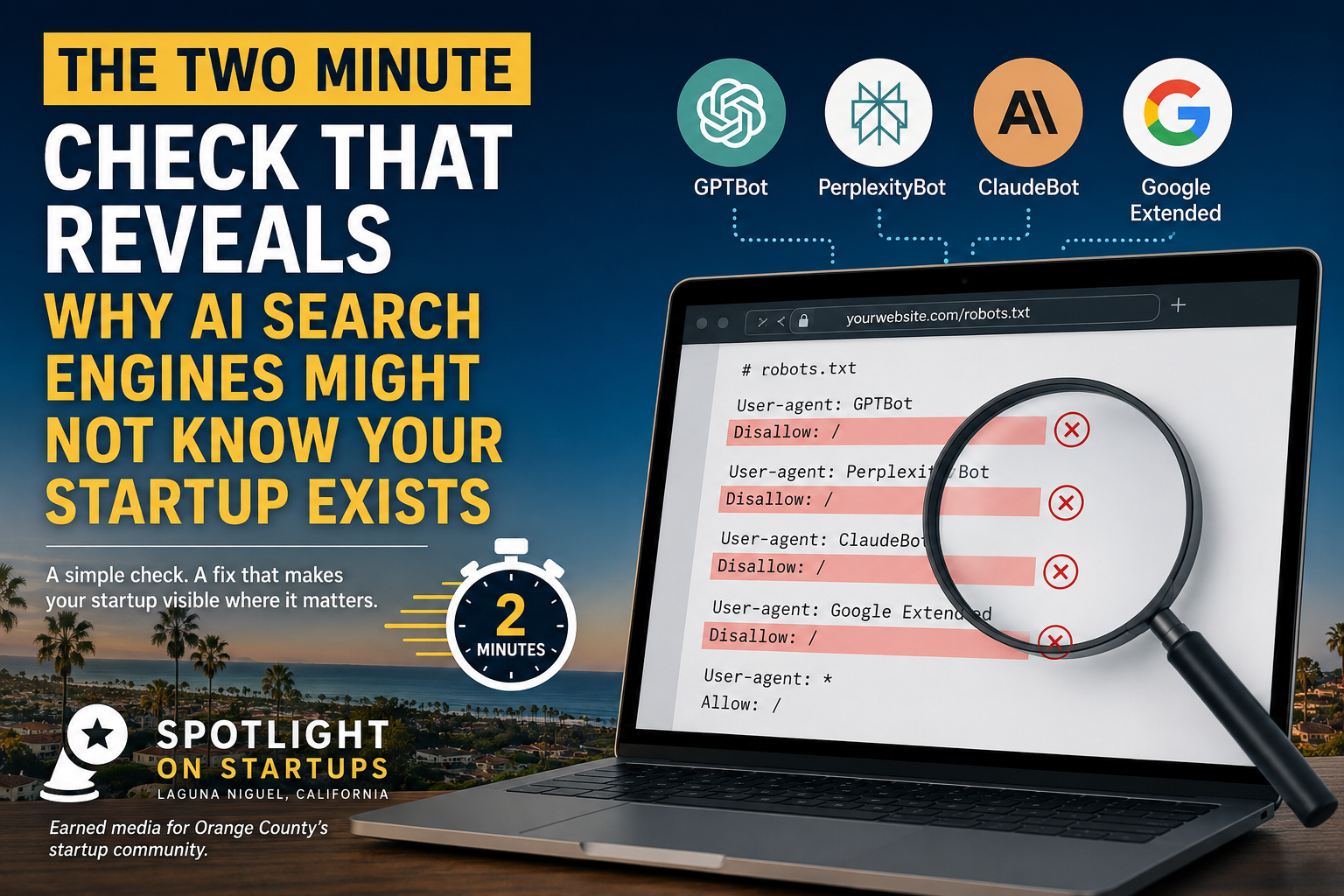
A simple two minute robots.txt check any Orange County founder can do without hiring anyone.
More buyers, investors, and partners are starting their research with ChatGPT or Perplexity instead of Google. If an AI search engine cannot properly read your website, your startup can be functionally invisible in exactly the conversations where a decision is being made, even if your site ranks well in traditional search.
Here is a common, fixable reason that happens, and how any founder can check it themselves in about two minutes.
The problem: your website may be quietly blocking the AI crawlers you want to reach you.
Every website has a file called robots.txt that tells automated crawlers what they are and are not allowed to read. Many website builders and security plugins set defaults that block unfamiliar crawlers, including the ones AI companies use to gather information: GPTBot (OpenAI), PerplexityBot, ClaudeBot (Anthropic), and Google Extended, among others. A founder can have a perfectly good website and still be invisible to AI search simply because a default setting is quietly turning those crawlers away.
How to check it yourself:

Open a new browser tab and go to yourwebsite.com/robots.txt, replacing yourwebsite.com with your own domain.
Look for lines that say "Disallow: /" under a user agent name like GPTBot, PerplexityBot, ClaudeBot, or Google Extended. That line means the crawler is being blocked from your entire site.
If you see no robots.txt file at all, or one that does not mention these crawlers by name, that is generally fine. It is an explicit "Disallow: /" next to a named AI crawler that is the problem to fix.
How to fix it yourself:
If you find a blocking rule and want that crawler to have access, most website platforms (WordPress, Squarespace, Webflow, and others) let you edit robots.txt directly from the site settings or through an SEO plugin like Yoast. Removing or adjusting the "Disallow" line for the crawler in question, then saving, is usually enough. If you are not comfortable editing this file yourself, any web developer can make this change in a few minutes.
This is a technical fix, not a content fix, and it is worth checking even for a website a founder is otherwise happy with. A strong product story does no good if the systems increasingly used to research are never let in the door.
Spotlight on Startups is an OCSC Member and Laguna Niguel based earned media platform publishing journalist authored founder spotlights for the Orange County startup community.
Thanks for this article and its graphics to Spotlight on Startups.
Want to share your advice for startup entrepreneurs? Submit a Guest Post here.